
How to Use Notepad AI for Summarization
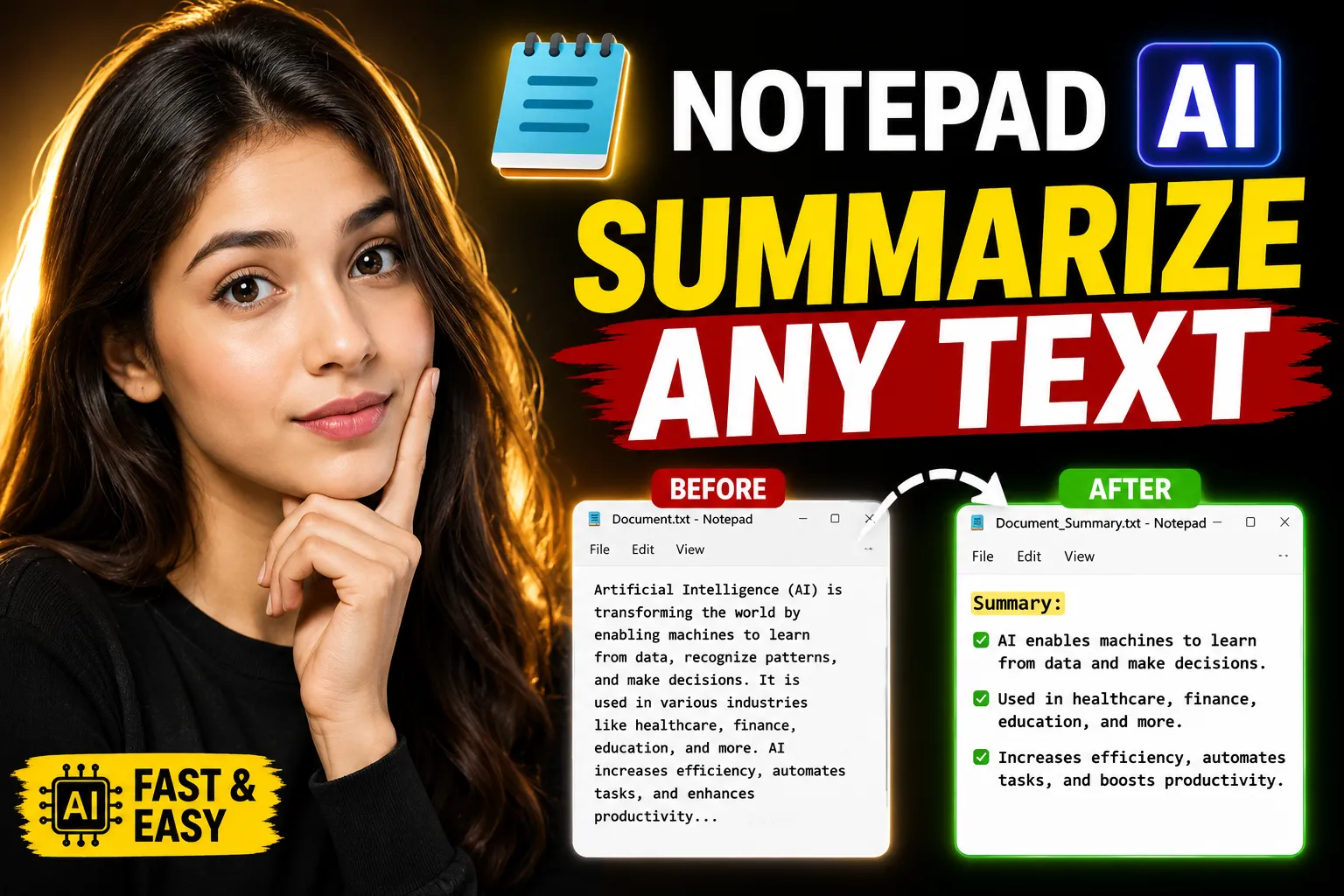
AI-powered note-taking tools are changing how people organize information, especially when dealing with long documents, meeting notes, research material, and study content. Instead of manually condensing pages of text into key points, users can now rely on AI summarization features built directly into modern online notepads.
If you’re trying to learn how to use Notepad AI for summarization, the process is simpler than most people expect. The key is understanding how to structure your notes, choose the right workflow, and verify the output so the summaries remain accurate and useful.
This guide explains how AI summarization works inside online notepad tools, how beginners can use it effectively, and how platforms like Write Notes help simplify note-taking, summarization, brainstorming, and collaboration in one place.
Table of Contents
- What Is Notepad AI Summarization?
- Why People Use AI for Summarizing Notes
- How AI Summarization Works
- Step-by-Step: How to Use Notepad AI for Summarization
- Best Types of Content to Summarize
- Common Mistakes Beginners Make
- How to Improve AI Summary Quality
- Using AI Summaries for Study and Work
- Combining AI Notes With Whiteboard Collaboration
- Why Online Notepads Are Replacing Traditional Apps
- Comparing Manual Notes vs AI Summaries
- FAQ
- Conclusion
What Is Notepad AI Summarization?
Notepad AI summarization is a feature that uses artificial intelligence to shorten long-form text into concise, readable summaries.
Instead of reading every line manually, the AI identifies:
- Key ideas
- Main arguments
- Action items
- Important facts
- Repeated concepts
- Priority information
The goal is not to replace the original content entirely. The goal is to help users process information faster.
Most AI note summarizers work inside cloud-based note-taking platforms. Users can paste content into an online notepad, click a summarize option, and receive a shorter version within seconds.
Modern tools also support:
- Bullet summaries
- Paragraph summaries
- Meeting recap generation
- Study-note compression
- Task extraction
- Brainstorm condensation
This is particularly useful for students, researchers, freelancers, content writers, and remote teams.
Why People Use AI for Summarizing Notes
AI summarization solves a practical problem: information overload.
People collect notes from multiple sources every day:
- Online classes
- YouTube videos
- Meetings
- PDFs
- Research papers
- Brainstorming sessions
- Project documentation
Over time, reviewing all that information becomes difficult.
AI summarization helps by reducing cognitive load.
Common Reasons Users Prefer AI Summaries
| Use Case | Benefit |
|---|---|
| Study notes | Faster revision |
| Meeting notes | Quick action items |
| Research | Easier information extraction |
| Team collaboration | Shared understanding |
| Brainstorming | Cleaner idea organization |
| Writing projects | Simplified outlines |
One important point beginners often miss is that AI summaries work best when paired with organized notes. Random, fragmented text usually produces lower-quality summaries.
That’s why many users prefer structured online note-taking platforms like Write Notes Online Notepad instead of disconnected text editors.
How AI Summarization Works
AI summarization tools typically use natural language processing (NLP) and large language models to understand text patterns.
The AI analyzes:
- Sentence importance
- Topic relevance
- Frequency of concepts
- Context relationships
- Structural hierarchy
Then it generates a condensed version while preserving meaning.
There are usually two summarization approaches:
Extractive Summarization
This method pulls important sentences directly from the source text.
Best for:
- Technical notes
- Research
- Legal content
- Documentation
Abstractive Summarization
This method rewrites content in a shorter form using new phrasing.
Best for:
- General learning
- Meeting recaps
- Study notes
- Content simplification
Most modern AI notepad tools combine both methods.
Step-by-Step: How to Use Notepad AI for Summarization
Here’s a beginner-friendly workflow that works for most users.
Step 1: Open an Online Notepad
Start with a browser-based note-taking platform.
Using an online notepad has advantages over desktop-only software:
- Access from anywhere
- Real-time syncing
- Easier collaboration
- Faster sharing
- No installation requirements
Platforms like Write Notes are useful because they combine note-taking with collaborative tools in one environment.
Step 2: Paste or Write Your Content
Add the text you want summarized.
Examples include:
- Lecture notes
- Meeting transcripts
- Research material
- Articles
- Brainstorming sessions
- Client discussions
Try to keep formatting clean.
Good formatting improves AI understanding.
Recommended Structure
- Use headings
- Separate paragraphs
- Add bullet points
- Remove duplicate content
- Fix obvious typos
Messy notes often produce messy summaries.
Step 3: Choose the Summary Style
Most AI summarization tools support different formats.
Common Summary Types
| Summary Style | Best For |
|---|---|
| Bullet points | Fast review |
| Paragraph summary | General understanding |
| Key takeaways | Meetings |
| Short abstract | Research |
| Action items | Teams and projects |
Beginners usually benefit most from bullet summaries because they’re easier to scan quickly.
Step 4: Review the AI Output
This step matters more than people think.
AI summaries are useful, but they are not perfect.
You should always verify:
- Missing context
- Incorrect facts
- Oversimplification
- Misinterpreted details
- Removed nuance
AI tends to struggle with:
- Highly technical material
- Ambiguous phrasing
- Mixed-topic notes
- Poorly formatted input
A quick manual review prevents problems later.
Step 5: Edit and Organize the Summary
Once the summary is generated:
- Add your own notes
- Highlight important sections
- Create tasks
- Rearrange ideas
- Store categorized summaries
This transforms AI-generated text into something actually useful long term.
Best Types of Content to Summarize With AI
Some note categories work exceptionally well with AI summarization.
1. Meeting Notes
AI can quickly identify:
- Decisions
- Deadlines
- Tasks
- Follow-ups
This saves time after long discussions.
2. Study Material
Students use AI summaries for:
- Revision notes
- Chapter breakdowns
- Exam preparation
- Concept simplification
Short summaries reduce rereading time significantly.
3. Brainstorming Sessions
Raw brainstorming notes are usually chaotic.
AI helps:
- Group similar ideas
- Remove repetition
- Identify themes
- Create structured summaries
This works particularly well when paired with visual planning tools like the Online Free Whiteboard With Collaboration offered by Write Notes.
Whiteboards help teams visualize ideas before converting them into summarized written notes.
4. Research and Content Writing
Writers often summarize:
- Competitor research
- Source material
- Interview transcripts
- Outline drafts
This improves workflow speed during content production.
Common Mistakes Beginners Make
Many first-time users expect AI summarization to work perfectly without preparation.
That rarely happens.
Here are the most common issues.
Using Extremely Long Unstructured Text
Large blocks of messy text reduce output quality.
Break content into sections first.
Expecting AI to Understand Missing Context
AI only works with the information provided.
If your notes are vague, summaries become vague too.
Example:
- “Discussed timeline changes”
- AI cannot infer what timeline changes mean.
Better:
- “Marketing campaign deadline moved from June 10 to June 25”
Trusting Every Summary Automatically
AI can occasionally:
- Omit key details
- Misrepresent conclusions
- Compress nuanced arguments incorrectly
Always review important summaries manually.
Over-Summarizing Important Information
Some users repeatedly summarize already-short notes.
This often removes useful context.
Not everything should be compressed aggressively.
How to Improve AI Summary Quality
You can dramatically improve summarization accuracy with a few adjustments.
Use Clear Section Headers
Example:
Bad:
- “Random thoughts”
Better:
- “Customer Feedback From Product Demo”
Structured input improves structured output.
Separate Different Topics
Avoid mixing:
- Meeting notes
- Personal reminders
- Research
- Brainstorming
AI performs better when topics are isolated.
Include Context Labels
Examples:
- Action item:
- Decision:
- Question:
- Priority:
- Deadline:
This helps AI identify importance more accurately.
Remove Duplicate Information
Repeated sentences can distort summary priorities.
Quick cleanup improves results.
Keep Human Oversight
AI summarization should assist thinking, not replace it.
The best workflows combine:
- AI speed
- Human judgment
- Manual organization
Using AI Summaries for Study and Work
AI summarization becomes more powerful when integrated into daily workflows.
For Students
Students commonly use AI summaries to:
- Convert lectures into revision notes
- Simplify textbooks
- Create flashcard material
- Review before exams
A useful strategy is:
- Take raw notes during class
- Clean formatting afterward
- Generate AI summary
- Add personal explanations
This creates more effective learning retention.
For Remote Teams
Distributed teams often struggle with information fragmentation.
AI summaries help consolidate:
- Team discussions
- Project updates
- Sprint reviews
- Client feedback
This reduces repeated meetings.
For Freelancers and Creators
Freelancers manage multiple projects simultaneously.
Summarization helps organize:
- Client requirements
- Content outlines
- Research notes
- Revision requests
Instead of searching through long documents repeatedly, users can rely on concise AI-generated summaries.
Combining AI Notes With Whiteboard Collaboration
Text summaries are useful, but visual collaboration adds another layer of productivity.
Many brainstorming sessions start visually before becoming structured documentation.
That’s where collaborative whiteboards become valuable.
Using a tool like the Write Notes Collaborative Whiteboard allows teams to:
- Sketch ideas visually
- Map workflows
- Brainstorm in real time
- Organize concepts spatially
- Collaborate remotely
After brainstorming, the notes can then be summarized using AI workflows.
This combination works particularly well for:
- Product planning
- Team workshops
- Marketing campaigns
- Study groups
- Content strategy
A common workflow looks like this:
| Stage | Tool |
|---|---|
| Brainstorm ideas | Collaborative whiteboard |
| Convert ideas into notes | Online notepad |
| Generate concise version | AI summarization |
| Share outcomes | Cloud collaboration |
This approach is becoming increasingly common in remote-first environments.
Why Online Notepads Are Replacing Traditional Apps
Traditional offline text editors still exist, but browser-based note systems are becoming more practical for many users.
Advantages of Online Notepads
| Feature | Benefit |
|---|---|
| Cloud access | Work anywhere |
| Collaboration | Share notes instantly |
| AI integration | Faster workflows |
| Browser access | No installation |
| Cross-device support | Mobile + desktop access |
| Real-time updates | Better team coordination |
Online tools also simplify integration between:
- Notes
- Whiteboards
- AI summarization
- Shared collaboration
That ecosystem matters more than isolated note storage.
Comparing Manual Notes vs AI Summaries
AI summaries save time, but manual notes still matter.
The best approach combines both.
| Factor | Manual Notes | AI Summaries |
|---|---|---|
| Speed | Slower | Faster |
| Accuracy | Higher contextual accuracy | Depends on input quality |
| Creativity | Better nuance | Better compression |
| Organization | User-dependent | Automatically condensed |
| Scalability | Hard for large data | Excellent for large text |
Important Tradeoff
AI summaries improve efficiency, but they can sometimes remove subtle context.
For critical work:
- legal notes
- medical information
- academic research
- compliance documentation
Always verify outputs carefully.
Practical Workflow Example
Here’s a simple beginner workflow using AI summarization effectively.
Scenario: Weekly Team Meeting
Step 1
Take raw notes during the meeting.
Step 2
Paste notes into an online notepad like Write Notes.
Step 3
Organize notes under:
- Decisions
- Tasks
- Risks
- Deadlines
Step 4
Use AI summarization to generate:
- Quick recap
- Bullet summary
- Action-item list
Step 5
Share summarized notes with the team.
This reduces communication gaps significantly.
FAQ
Can AI summarization replace manual note-taking completely?
No. AI summarization works best as an assistance tool, not a complete replacement. Human review is still important for context, accuracy, and interpretation.
Is AI summarization accurate for technical content?
It depends on the complexity of the material. AI performs reasonably well for general technical notes but may oversimplify specialized terminology or nuanced explanations.
What types of notes should not be summarized aggressively?
Highly detailed legal, financial, medical, or research-heavy notes should be reviewed carefully because excessive compression can remove important context.
Are online AI notepads better than offline apps?
For collaboration and accessibility, online notepads are usually more convenient. Offline apps may still be preferred for highly sensitive or disconnected environments.
How can I improve poor AI summaries?
Improve formatting, separate topics clearly, remove duplicate text, and use headings. Structured input generally produces much better summaries.
Can collaborative whiteboards improve note summarization workflows?
Yes. Visual brainstorming often creates clearer idea structures before notes are summarized. Combining whiteboards with AI summaries improves organization and collaboration.
Conclusion
Learning how to use Notepad AI for summarization is less about pressing a single button and more about building a reliable workflow.
AI tools can dramatically reduce the time spent reviewing notes, meetings, study material, and brainstorming sessions. But summary quality still depends heavily on structured input and human oversight.
For beginners, combining an online note-taking system with collaborative tools creates a much smoother workflow. Platforms like Write Notes provide a practical environment for writing notes, organizing ideas, collaborating visually, and simplifying information using AI-assisted workflows.
Instead of replacing thinking, AI summarization works best when it supports faster organization, clearer communication, and more efficient knowledge management.

Alex Chen
I am a Digital Systems Architect and productivity specialist dedicated to building frictionless workflows. With over 2,000 hours of deep-work experimentation, I've mastered the art of transforming cluttered Write Notes workspaces into high-output engines.Having successfully migrated over 10,000 users into streamlined digital systems, I focus on the intersection of Personal Knowledge Management (PKM) and automated task architecture. When I'm not auditing the latest productivity tools, I manage a 1,500-note research library and consult for teams looking to reclaim their focus.